
Alert & Action: Your shovel has been hanging!
A mining operation involves multiple pits, each overseen by a Pit Supervisor who spends their day moving around the site to address issues as they arise.
The AVM (Advanced Variance Management) app helps Pit Supervisors monitor critical operational metrics and manage tasks, but it currently lacks a robust alert system to notify users of significant deviations in these metrics.
Intro
Project goals
Empower Pit Supervisors to respond swiftly to major time losses, prioritize their actions effectively, and track the outcomes of their decisions. The goals include:
Timely Responses: Delays in addressing issues result in reduced productivity and operational inefficiencies.
Prioritizing Critical Actions: With constant changes in pit conditions, Pit Supervisors often struggle to prioritize their actions effectively.
Tracking Impact: Actions taken during shifts can be overlooked, making it difficult to justify decisions and demonstrate impact.
Team & responsibilities
Stakeholder: Coal sites Mine Ops leaders
The team: UX Lead, UX Designer (me), Product Owner, SMEs, Customer Success, Technical Leads
My responsibilities: Research, Workshop, UX&UI Design, Prototyping, Dev Handoff
Timeframe
February 2024 - June 2024
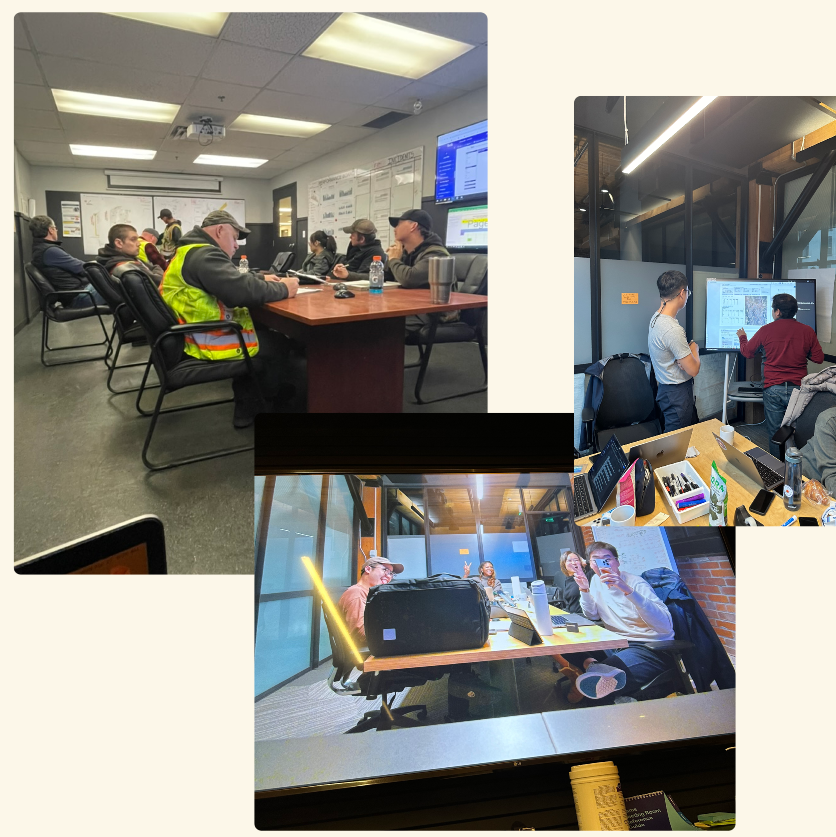
Research
Goal
To understand how Pit Supervisors are currently informed about critical production losses
The current experience with action creation in the AVM app, and
How they prioritize actions and demonstrate their impact.
Method
User interviews with 4 Pit Supervisors and 1 Senior Supervisor from 2 different mine sites (FRO, LCO)
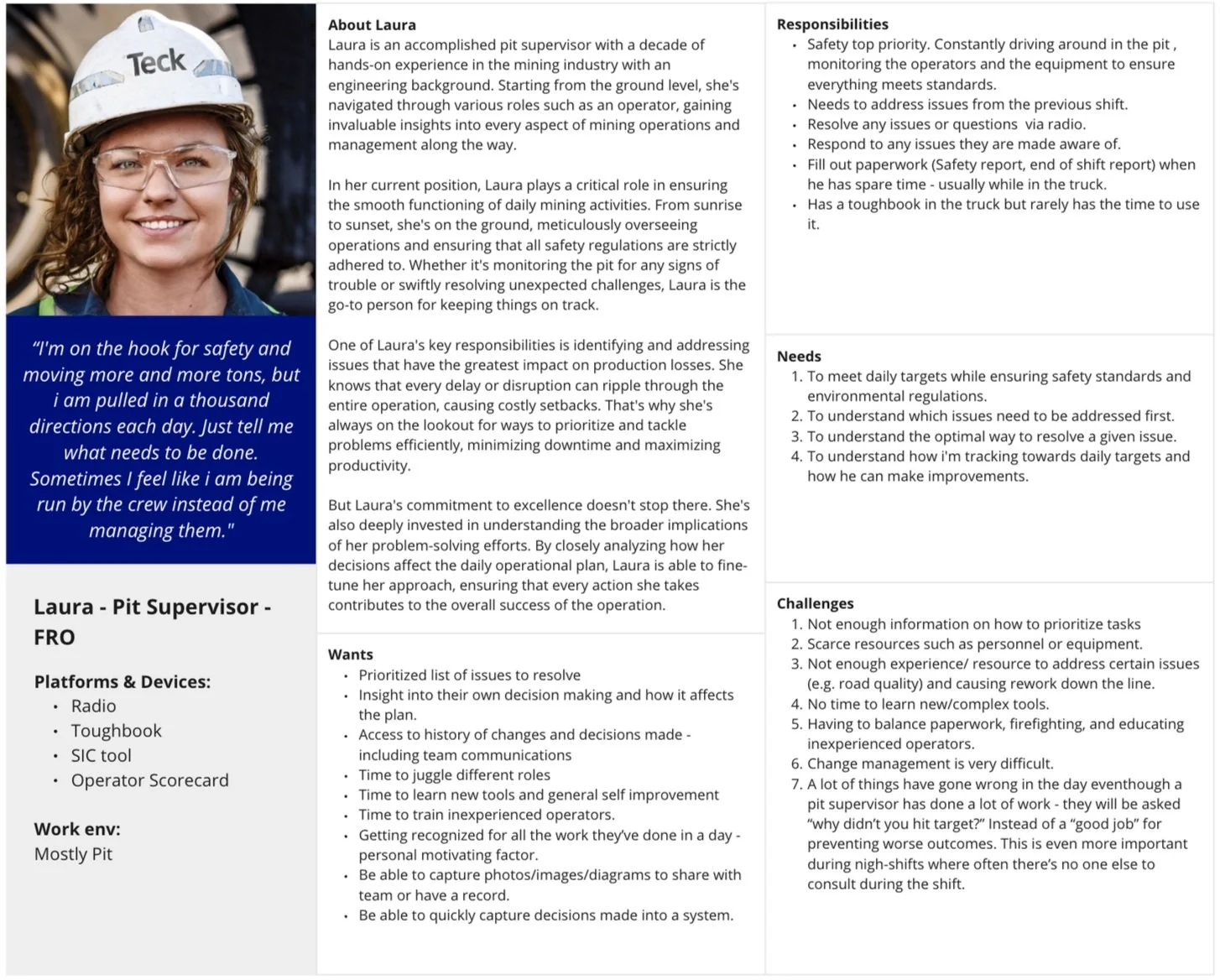
Key Findings
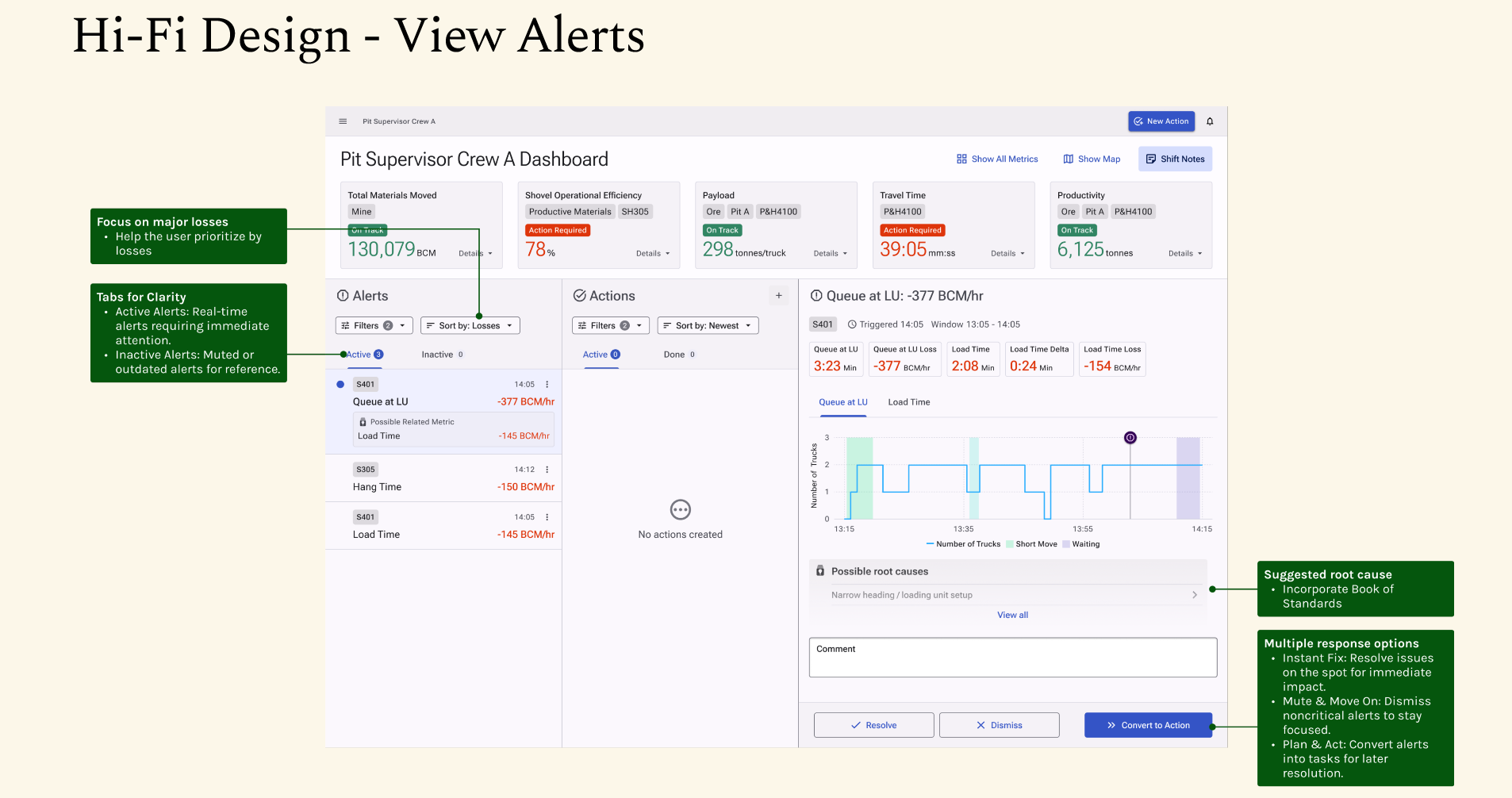
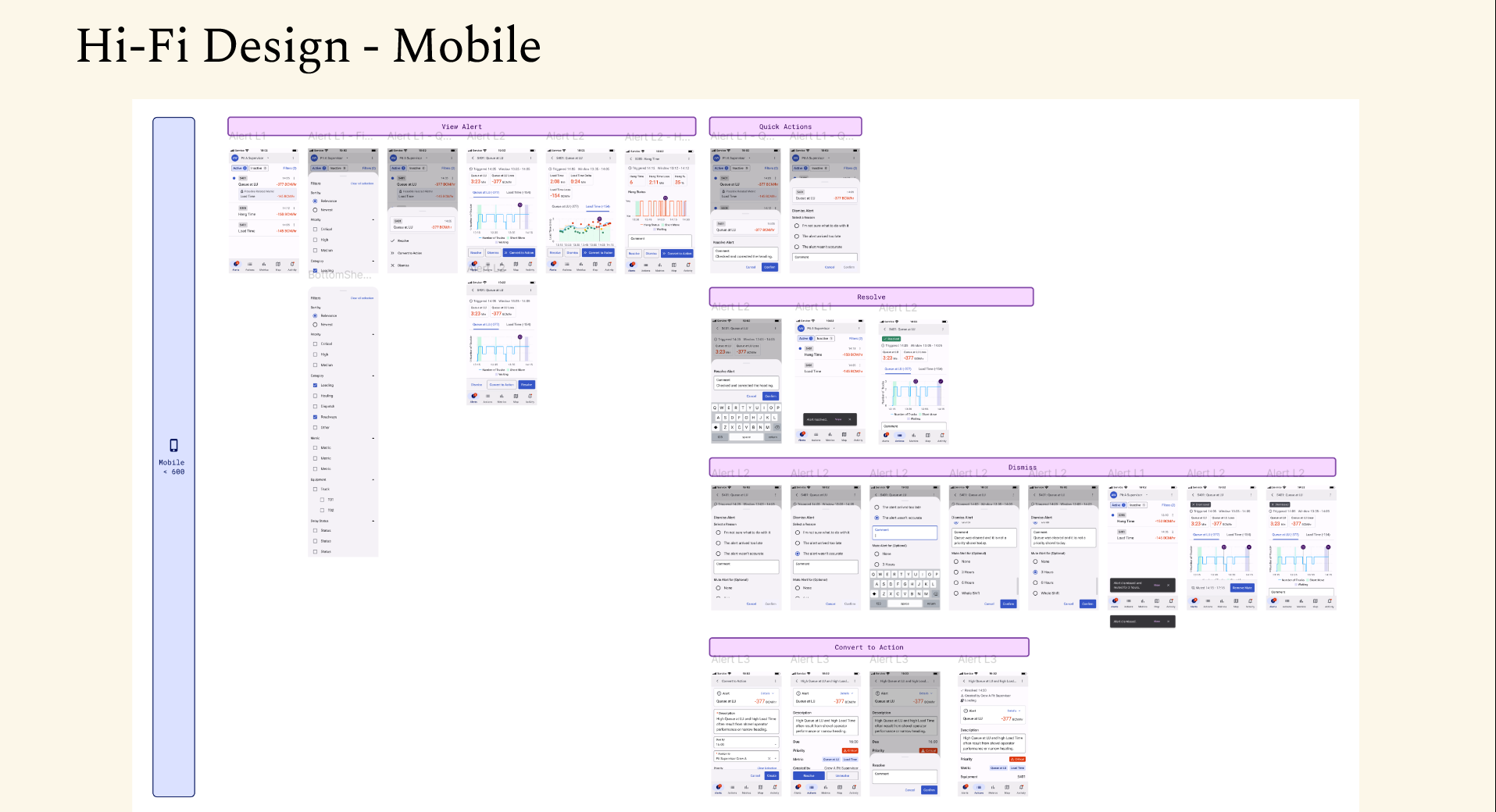
Difficulty Focusing on Major Losses
Hard to identify key losses due to constant distractions.
Limited time to check the dashboard while monitoring.
Prefer actions that boost multiple metrics at once.
Need for Insight into Decision-Making
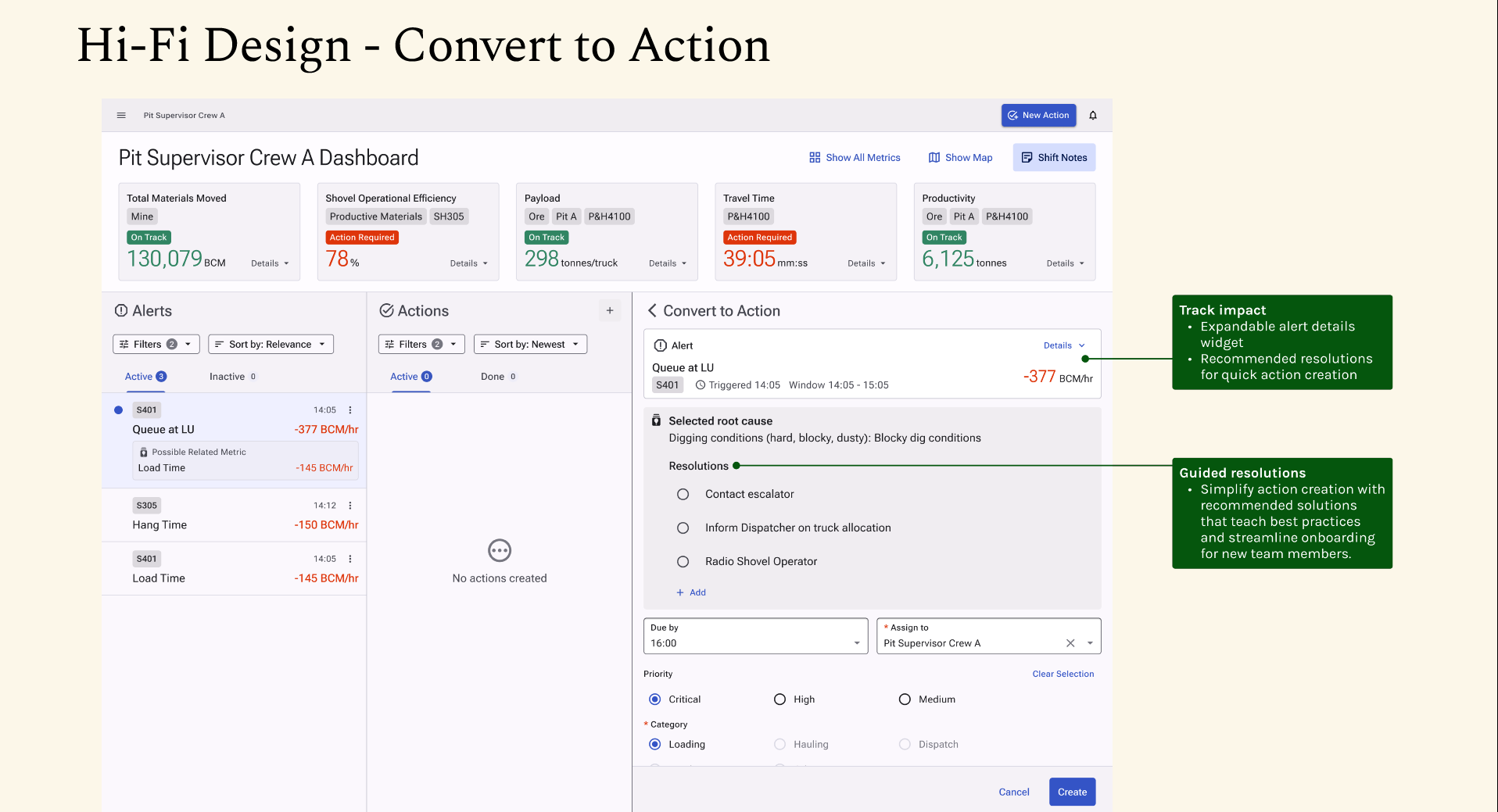
Cannot track actions or their impact on metrics.
Need to show actions and results to Senior Supervisors.
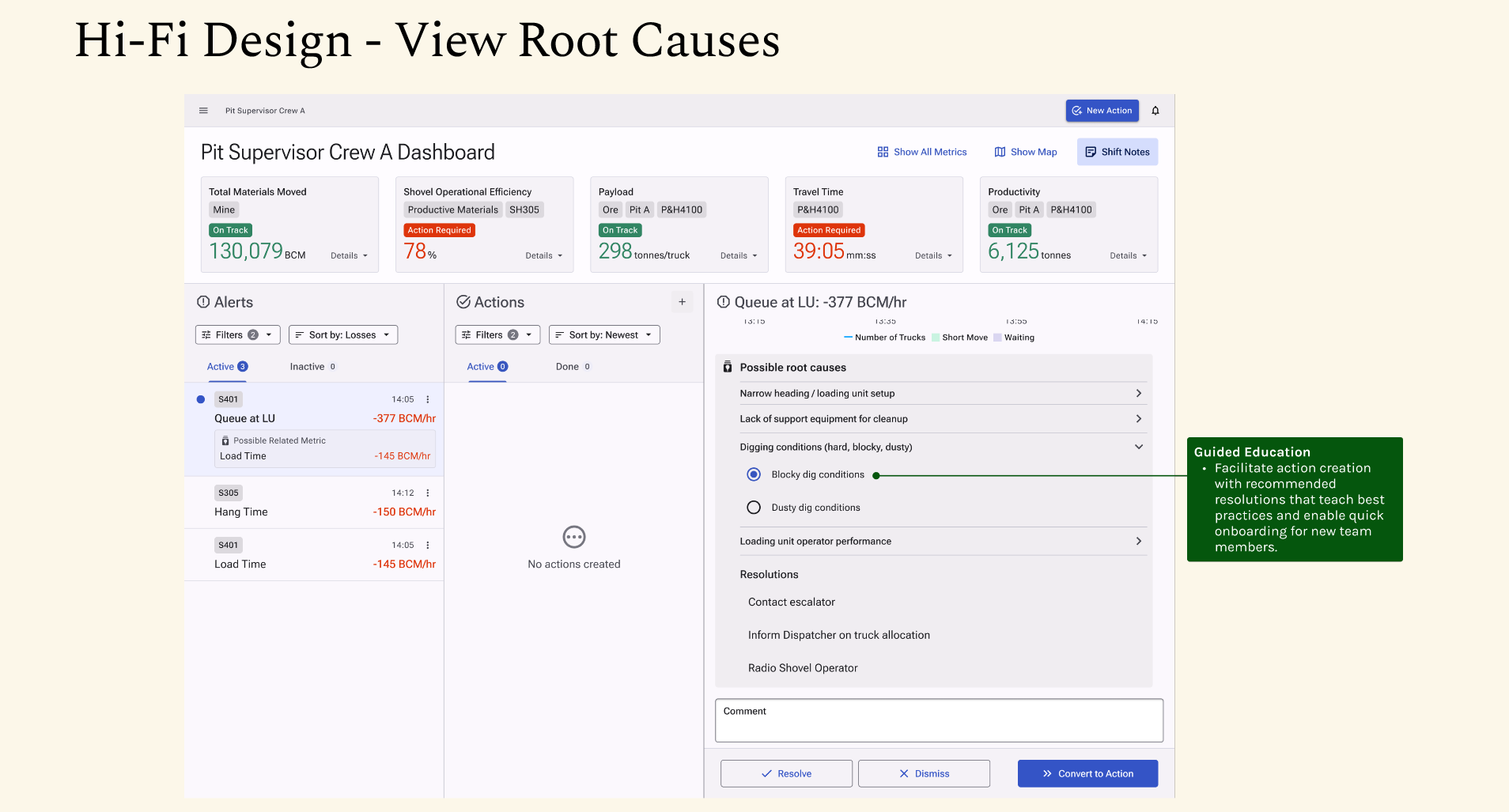
Education on Best Practices
Limited experience and resources lead to rework.
No time to learn complex tools.
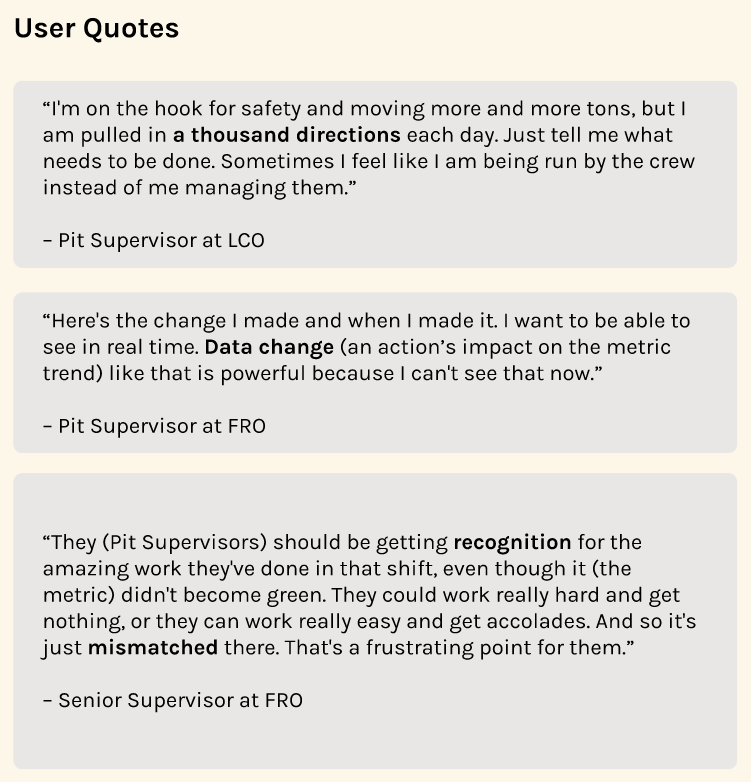
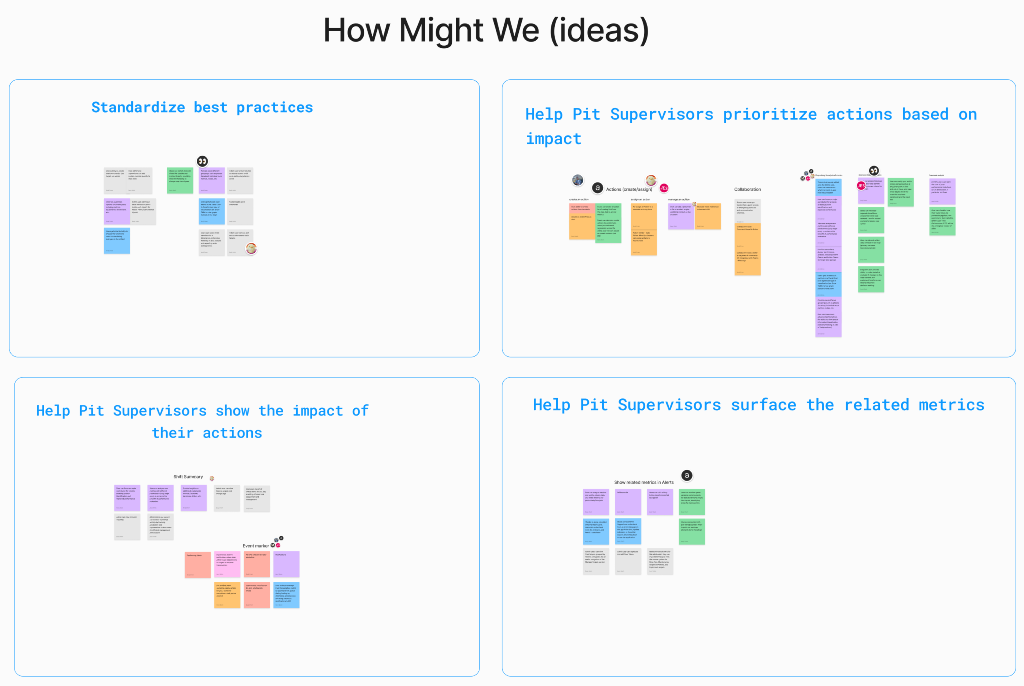
HMW Exercise
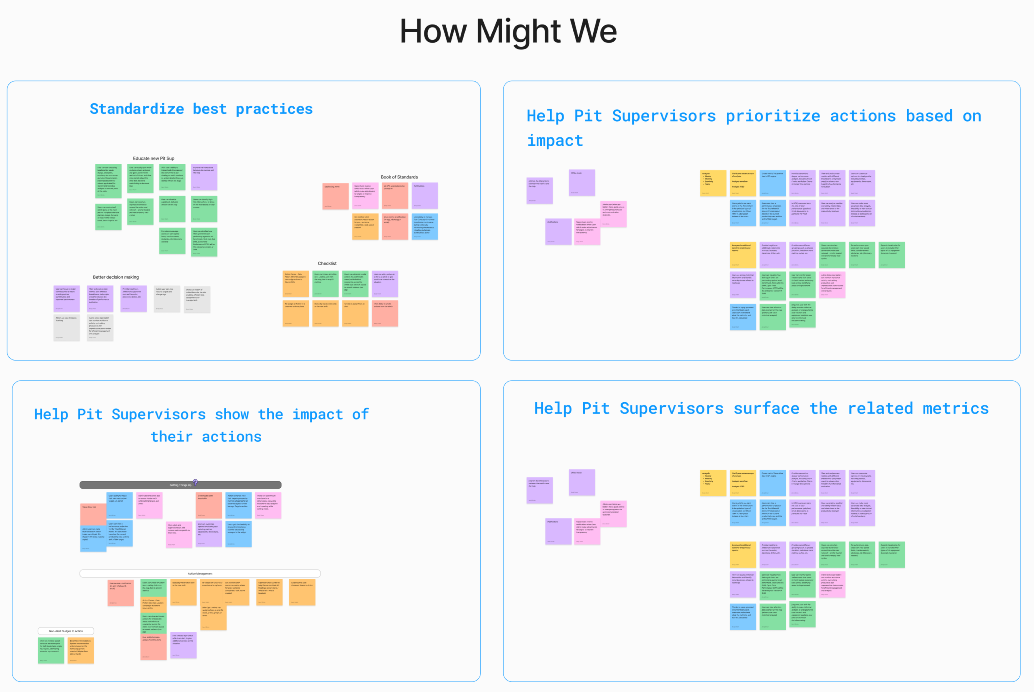
Themes
HMW standardize best practices for Pit Supervisors?
HMW help Pit Supervisors prioritize actions based on their potential impact?
HMW enable Pit Supervisors to show the impact of their actions clearly?
HMW assist Pit Supervisors in surfacing related metrics for more comprehensive decisions?
Brainstorm Ideas & Vote
Key ideas that emerged included:
Reactive Action: Allow users to quickly convert alerts into actions and track their impact.
Proactive Action: Provide system-recommended actions based on selected metrics or equipment.
Best Practices: Show suggested root causes and action recommendations from the Book of Standards when a new alert is received.
Shift Summary: Auto-generate shift summaries for performance reviews with Senior Supervisors.
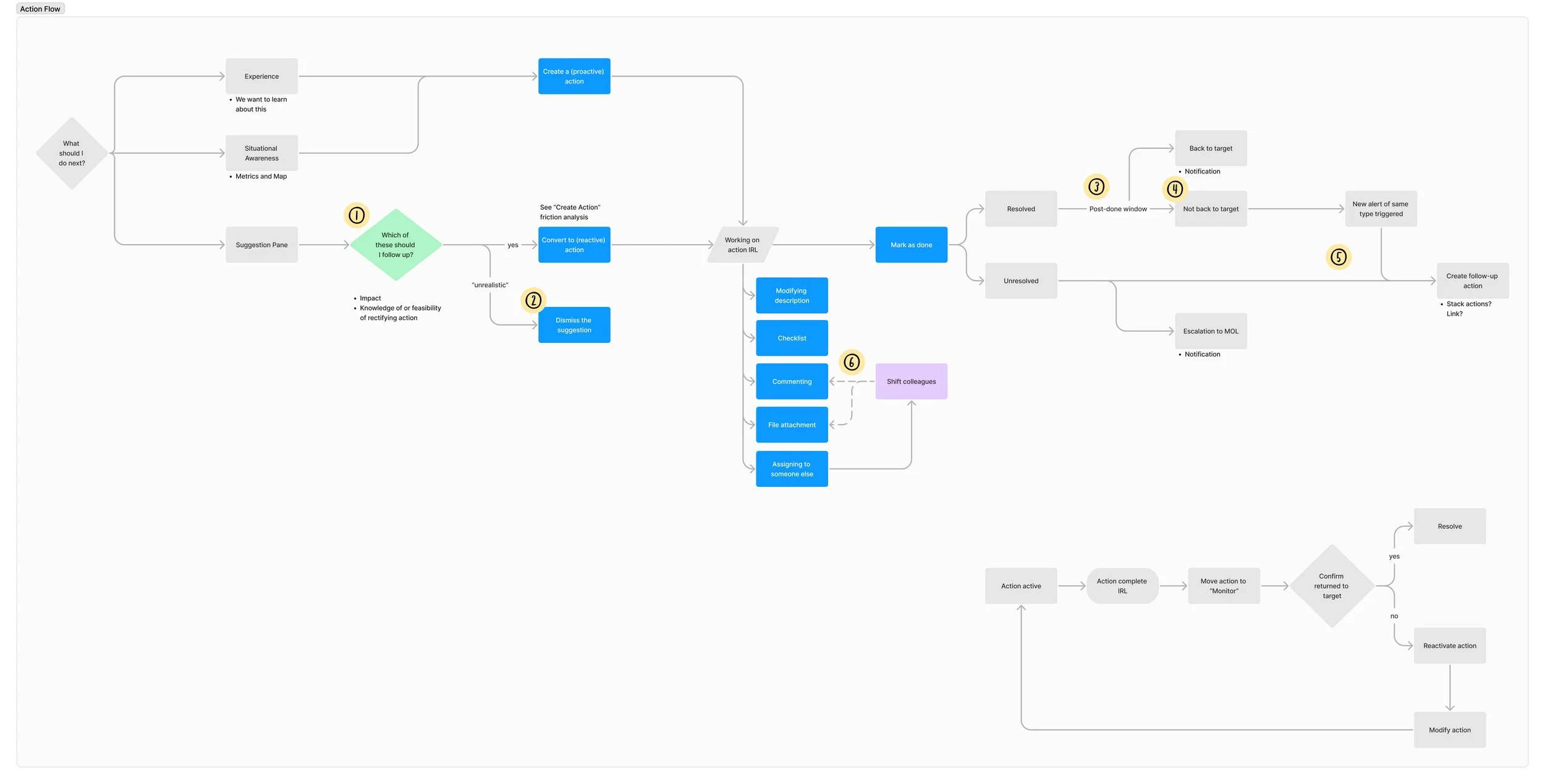
Action Flow
The diagram outlines workflows for 3 types of actions:
Reactive actions triggered by alerts,
Proactive actions initiated from metric cards, and
Proactive actions led by practical experience.
This served as the foundation for the design process.
Feature 1 - Reactive: Alert to Action
The first exploration focused on integrating Alerts into the dashboard design. I created three options showcasing various approaches and functionalities.
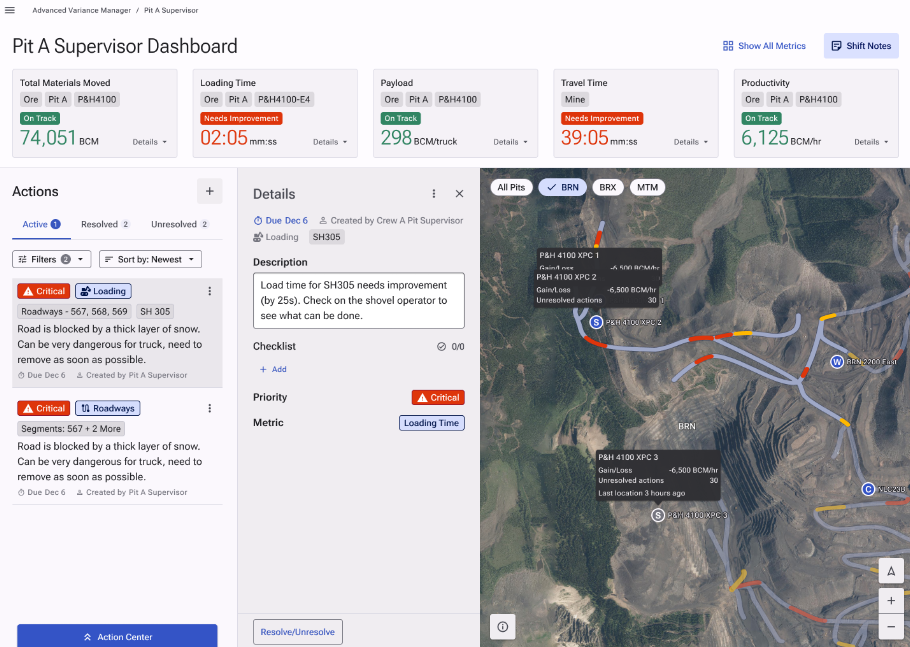
Existing dashboard design
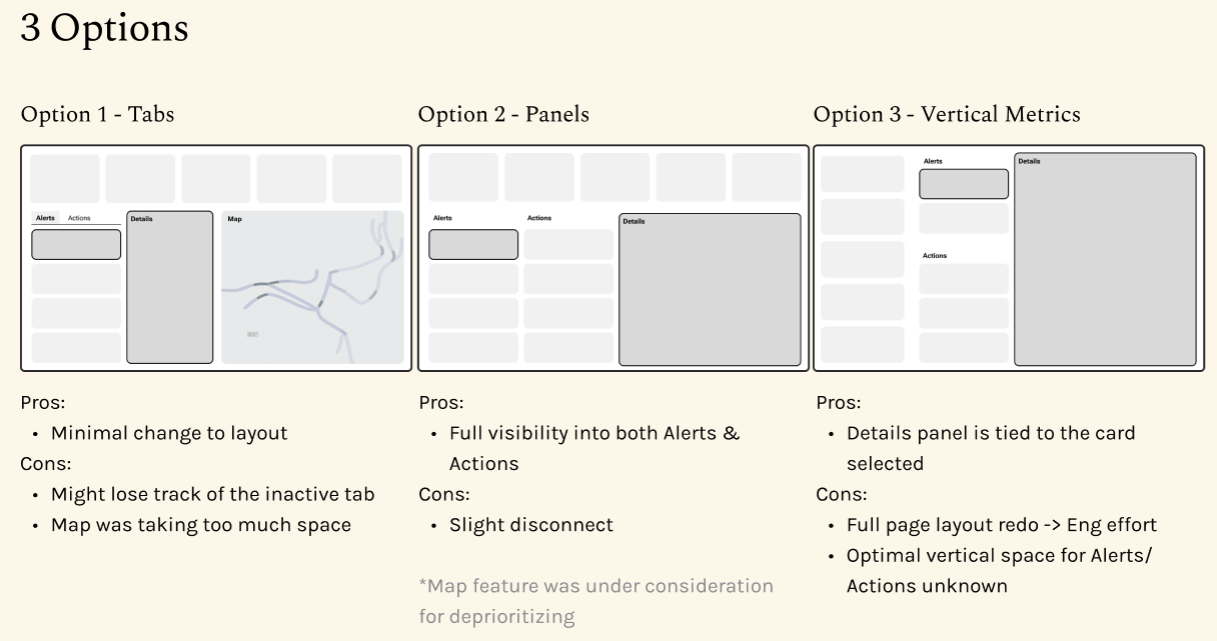
Explore options to incorporate Alerts to the current dashboard
We selected Option 2 because Actions and Alerts are both important for our users, and it was the most realistic choice within our timeline.

User Testing
Format: Clickable prototype, 1:1 interview
Participants: 2 Pit Supervisors, 1 Senior Supervisor
Positive feedback:
Users responded very positively to the event tracker.
Users found the Book of Standards integration helpful, saying that it will be easy to onboard new Pit Supervisors.
Users liked that they can view related metrics.
Things to consider:
Manual Time Stamp Adjustment: Users asked to change the time of Event Tracker manually because they may not log them right away.
Feature 2 - Proactive: Metric to Action
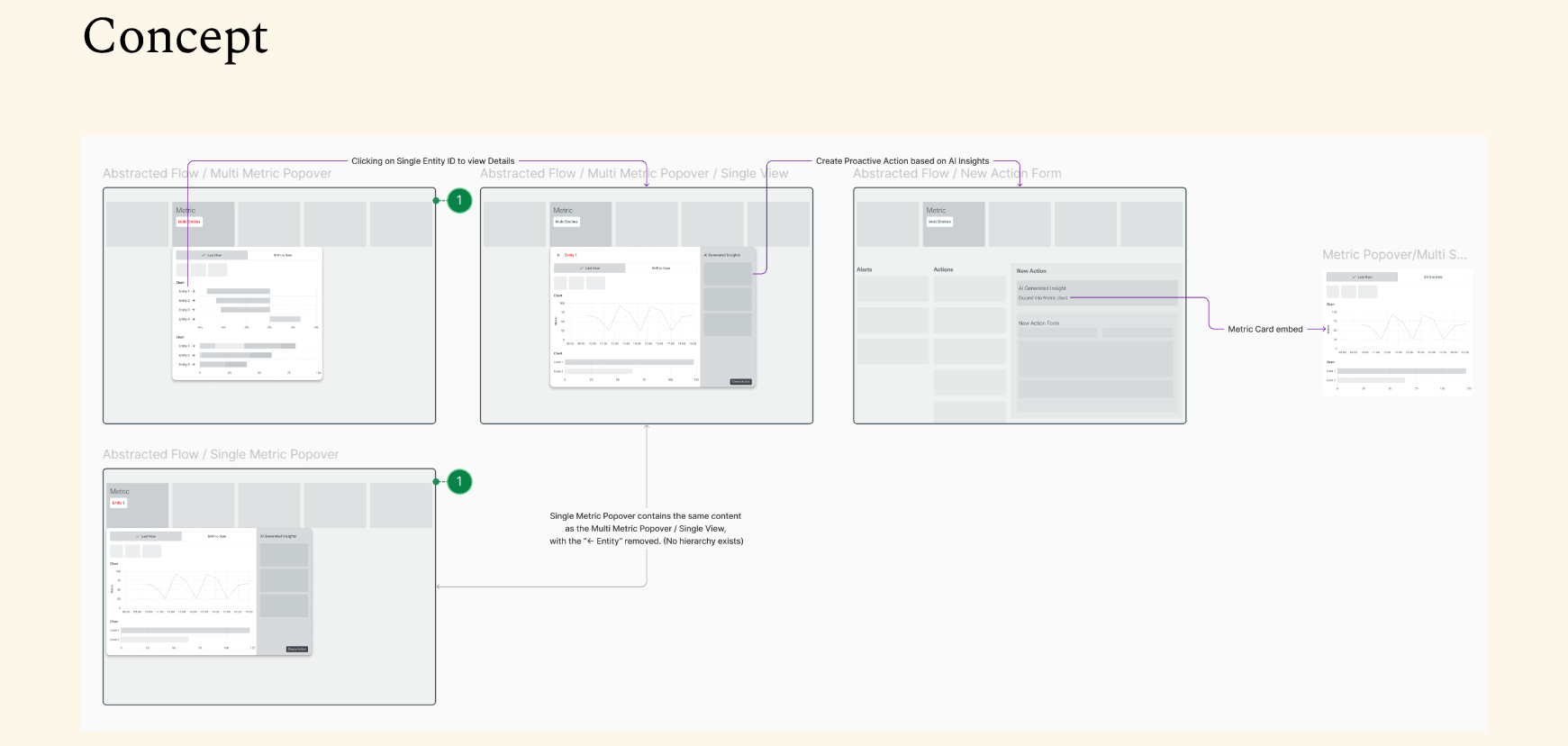
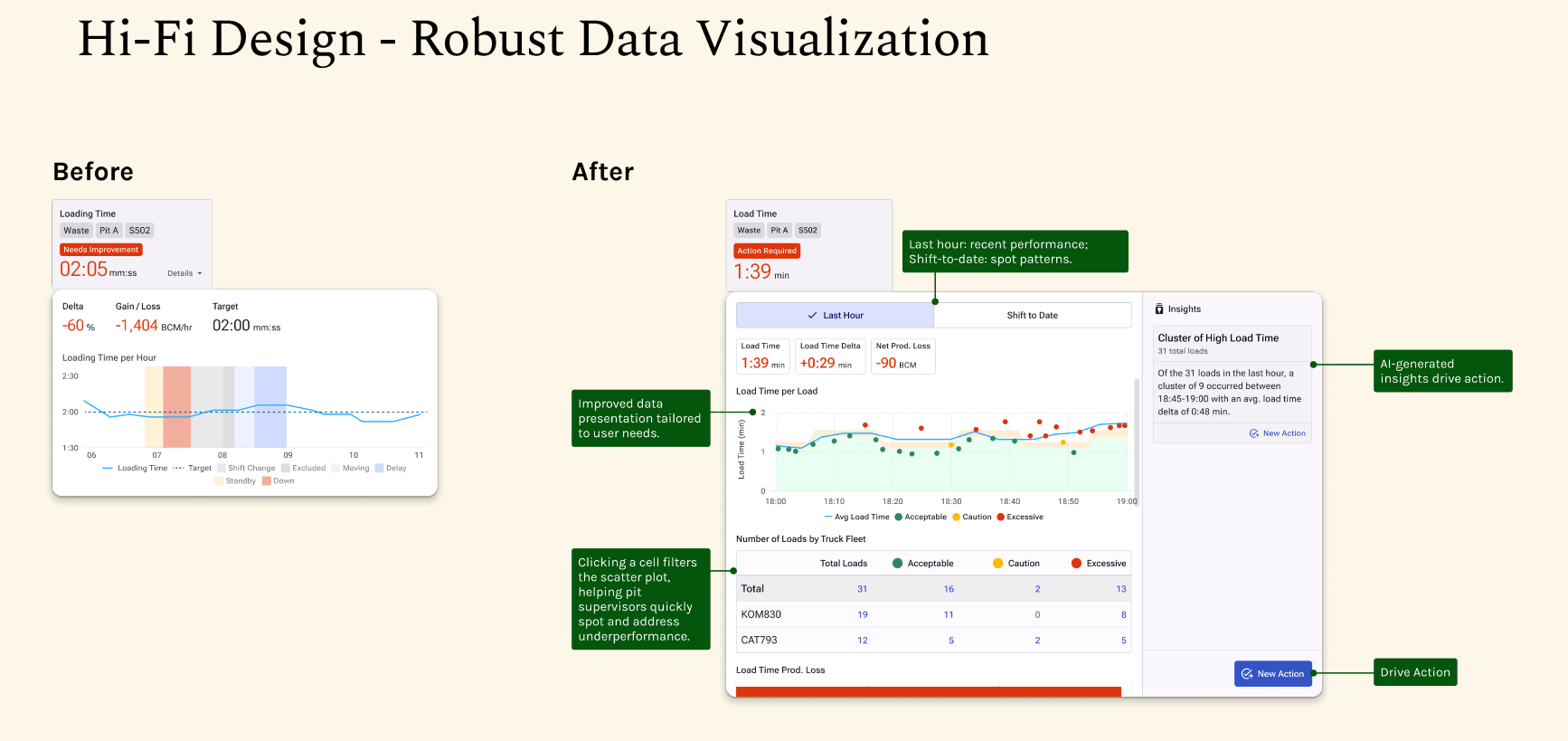
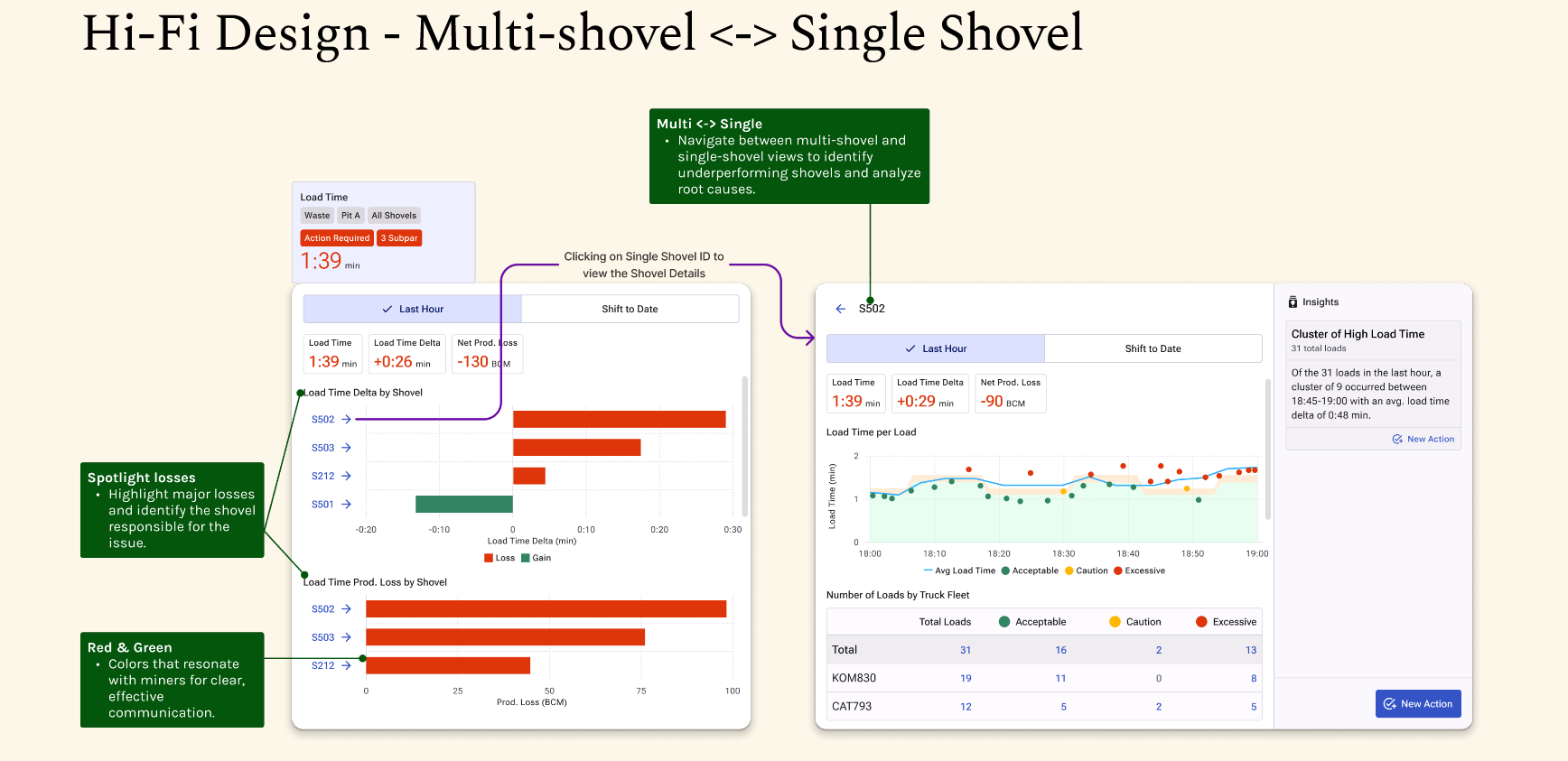
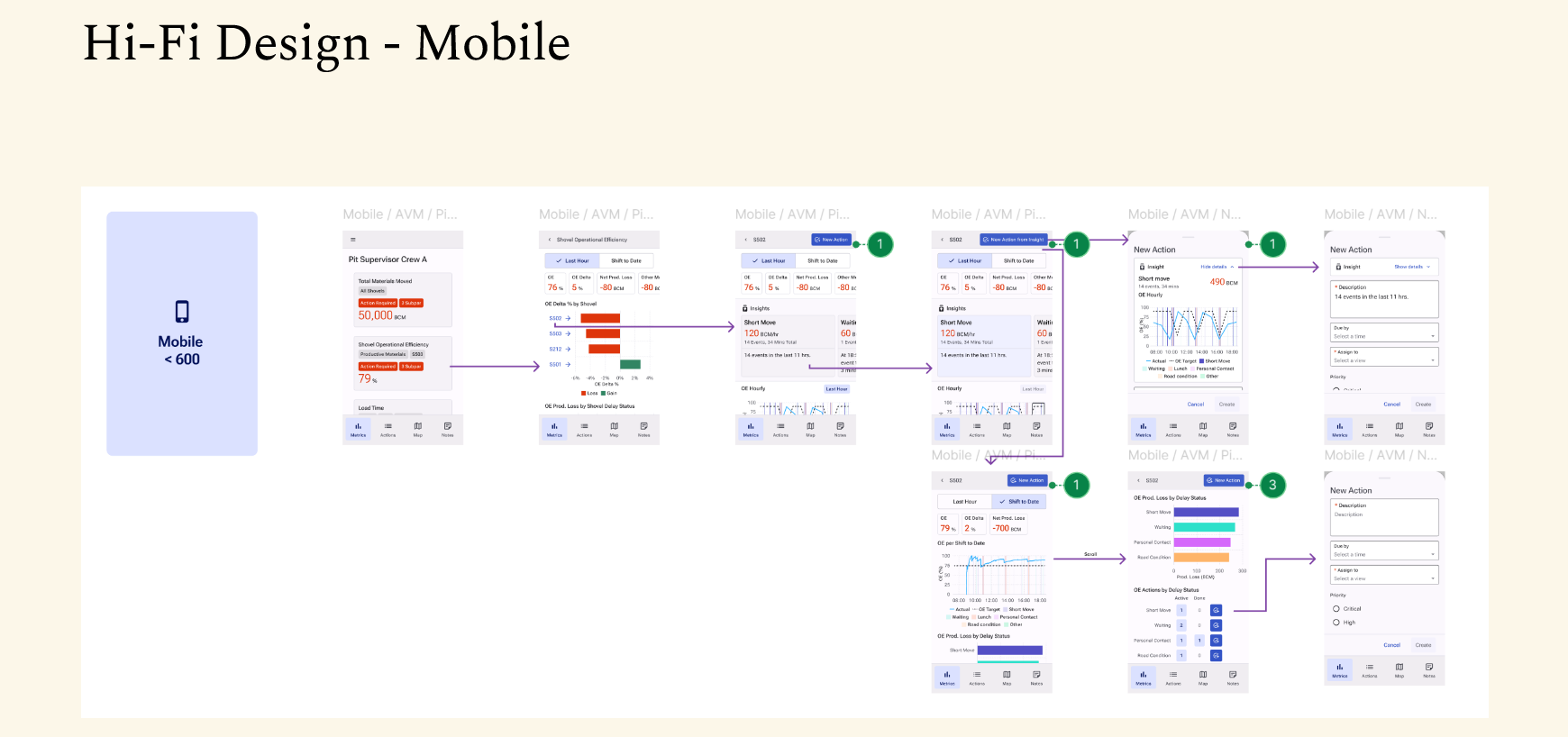
User testing
Format: Clickable prototype, 1:1 interview
Participants: 3 Pit Supervisors
Positive Feedback:
Users found the improved data visualization more usable.
Users reacted positively to AI-generated insights and wanted them to be more prominent.
Things to consider:
Insight Panel Buttons: Users often missed the "Create Action" button on each Insight Card, mistakenly clicking the Primary button at the bottom and losing Insight information in the Action Details.
AI insights visibility needs enhancement.
Present a story
Given the success of the project, we were requested to show the design ideas to the leadership team. I made a prototype using storytelling and created a video demo.
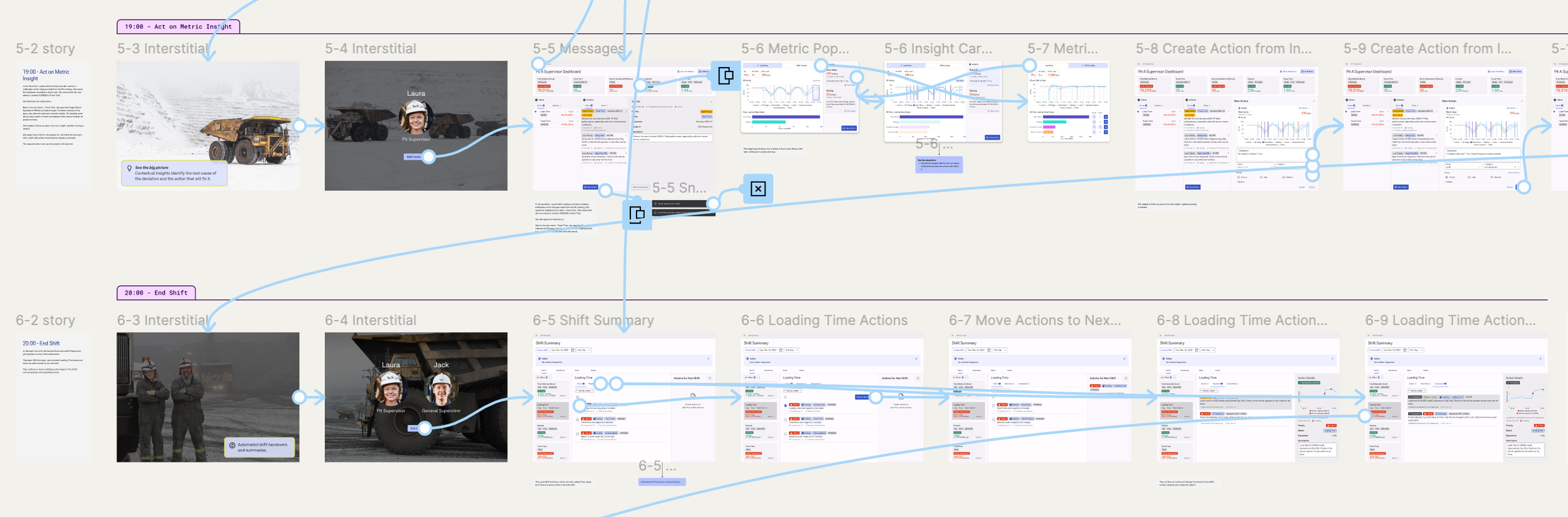
Prototyping with storytelling
The demo
Learnings
Develop Domain Expertise:
Immersed in the complex mining field, I gained deep user insights, enabling me to apply UX thinking effectively and solve industry-specific problems with tailored solutions.
Cross-functional Integration:
Embed UX processes deeper into cross-functional teams to drive design decisions with data, business, and technical insights.
Feedback Loops & Iteration:
Build effective feedback loops allowing for iterative improvements that refine the product in real time.